Setting up this integration allows you to
- Import customers from ScreenConnect
- Import computers from ScreenConnect
- Manage all computers in ScreenConnect without deploying the ImmyBot Agent
- Remote into computers from the ImmyBot interface using ScreenConnect (Note: We default to requiring customer consent, you can disable this under Settings->Preferences)
- Fix the Automate agent using the ScreenConnect agent (by creating a cross-tenant deployment for the Automate Agent and creating a schedule for your customers)
Install ImmyBot Extension for ScreenConnect
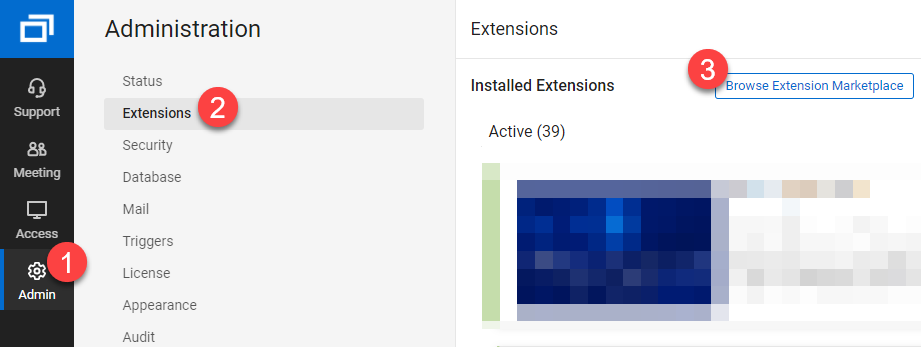
- In ScreenConnect, navigate to Admin > Extensions > Browse Extension Marketplace
Screenshot
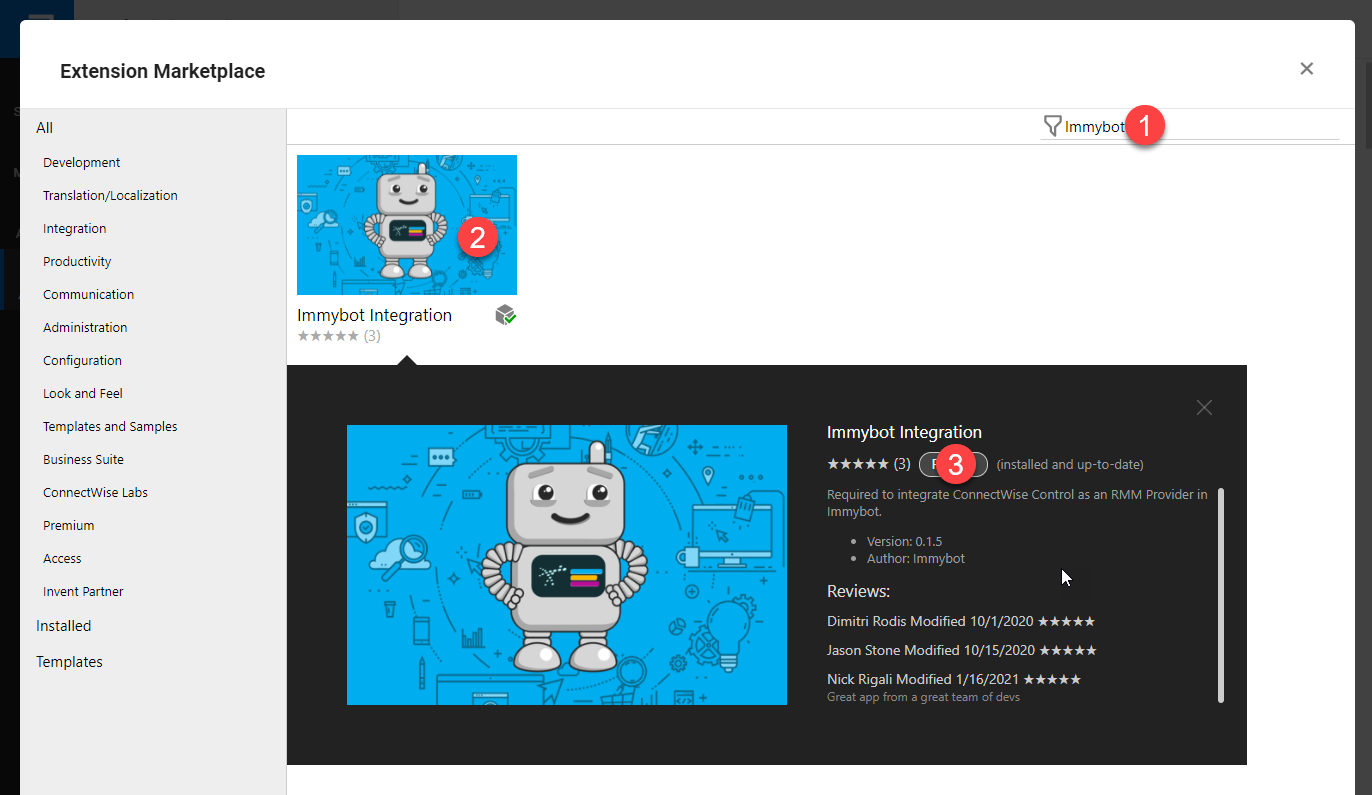
- Search for ImmyBot > Click on ImmyBot Integration > Click on Install
Screenshot
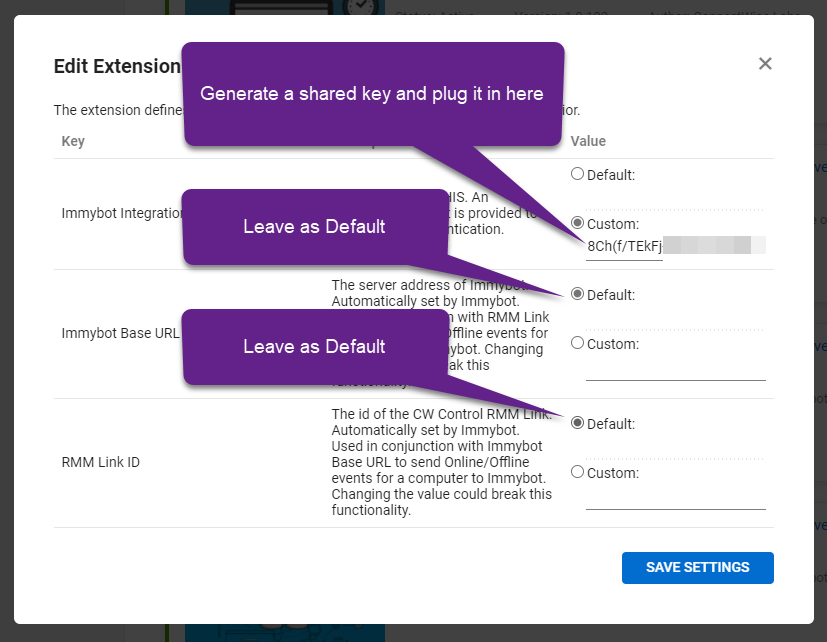
- Generate a shared key. This key should be a random string of characters. Leave everything else the same.
Screenshot
Create the integration in ImmyBot
-
Click on Show More > Integrations > Add Integration
-
Find and Click on ScreenConnect
-
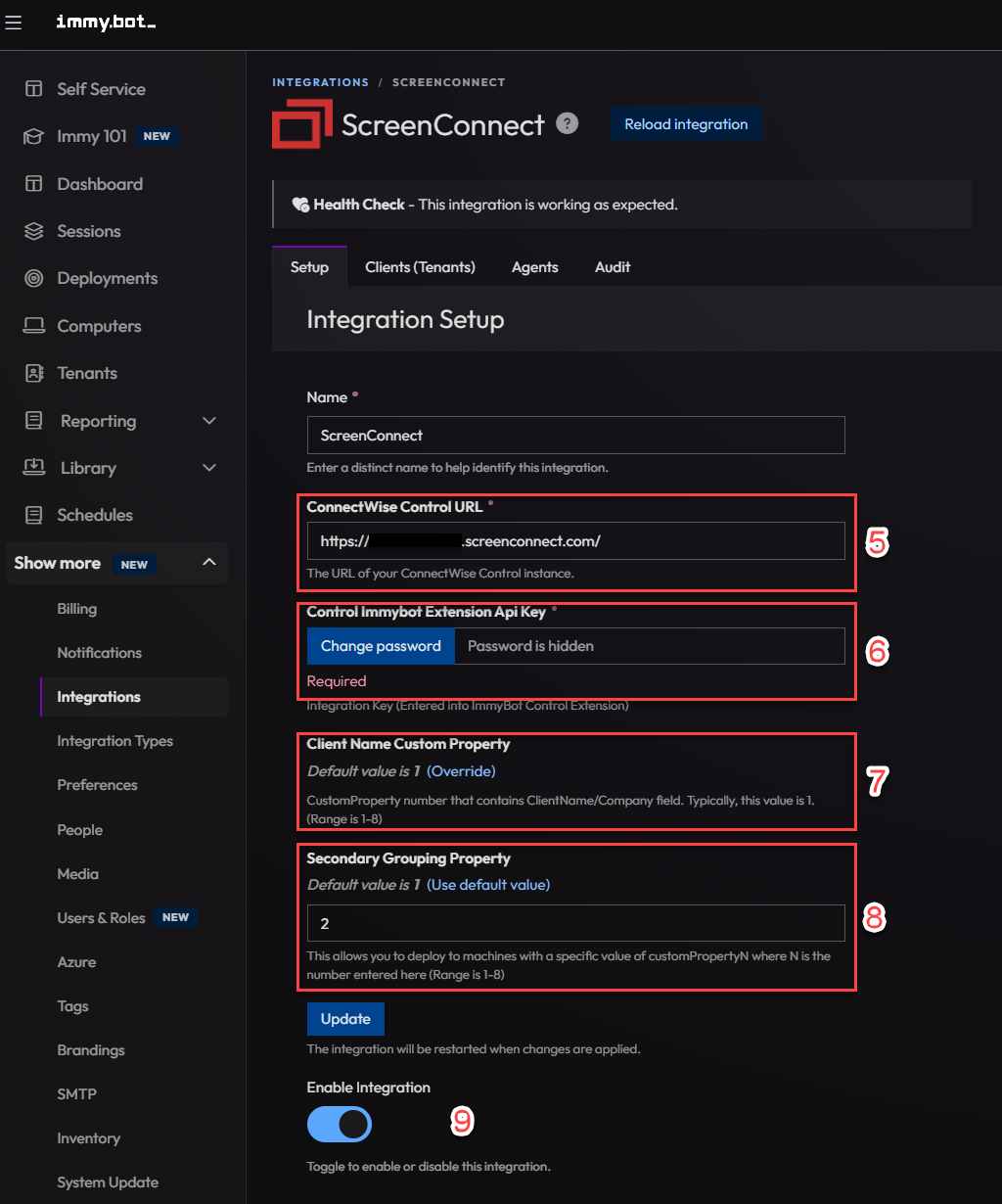
Fill out the Integration form. The "ImmyBot Extension Key" shoud be the randomly generated string from the ImmyBot Extension in ScreenConnect.
Screenshot
FAQ
What custom property do I use?
By default most ConnectWise ScreenConnect instances you would select 1 for the ClientName CustomProperty field, this is the "Company" property in ScreenConnect. Secondary group is any number between 1-8 that you would like to group from based on ScreenConnect groups. You can find more information about ScreenConnect custom properties here; https://docs.connectwise.com/ConnectWise_ScreenConnect_Documentation/Get_started/Administration_page/Appearance_page/Add_custom_properties_to_sessions
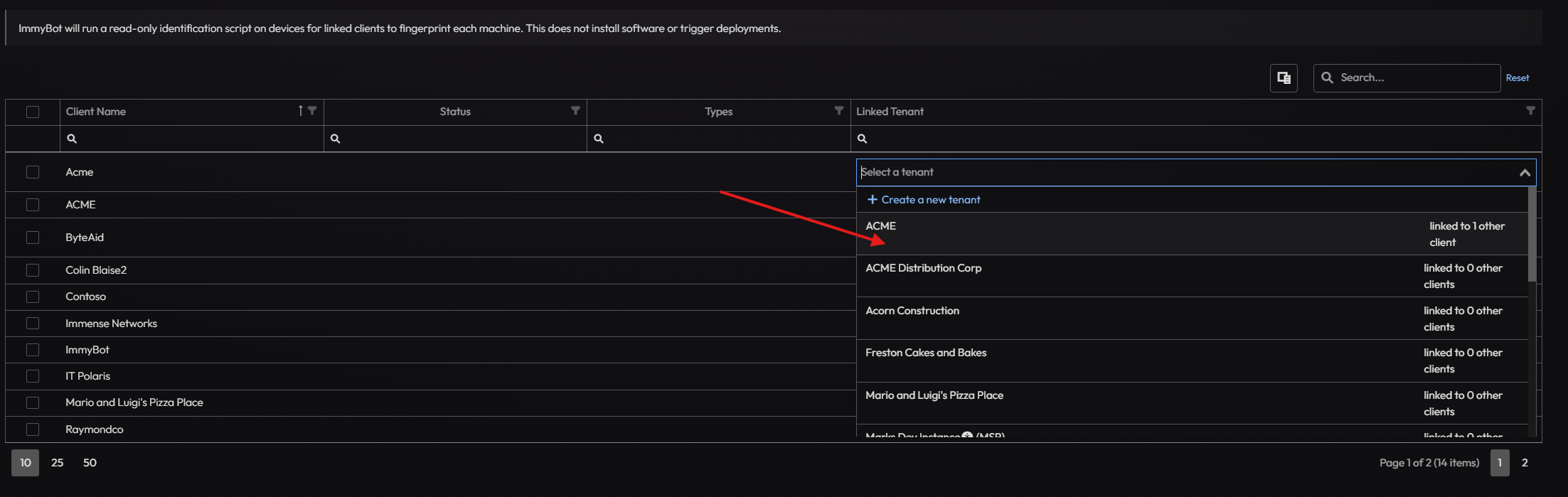
Import your customers
- From the CW Automate Integration screen click on Clients
- Link your MSP tenant manually first
- You can bulk Create tenants or manually link tenants between ImmyBot and CW Automate
- Alternatively, ImmyBot will suggest tenants that it thinks are the correct ones to link
Alternatively, you can create/map only certain customers. When you map a customer from an RMM, the computers will undergo Identification
Screenshot
Troubleshooting
ConnectWise ScreenConnect uses Sqlite under the hood, making it vulnerable to performance issues unless aggressive Database Maintenance Tasks are enabled.
While ImmyBot only uses ScreenConnect (and other integrations) to spawn an out-of-band connection, over the course of time the database can grow as ImmyBot establishes this connection on each machine once every 24 hours to collect inventory.
Commands go into the SessionEvent table with EventType = 44 Responses go into SessionConnectionEvent with EventType = 70
Automatic Cleanup
Ensure you have the following maintenance actions: Access Sessions: Purge records of session activity older than 7 days for all events EXCEPT AddedNote
Screenshot
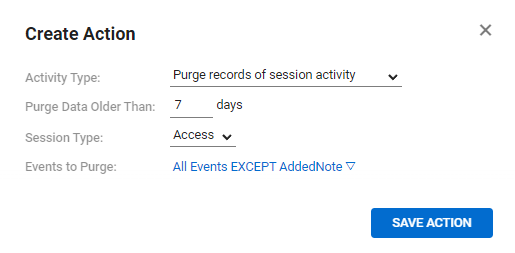
Access Sessions: Purge records of session connections older than 7 days for Host and Guest connections
Screenshot

Manual Cleanup
If you host ScreenConnect yourself, you can restore performance by doing the following
Download and Install DB Browser for SQLite on your server
Open C:\Program Files (x86)\ScreenConnect\App_Data\session.db
Navigate to SQL Editor
Paste in the following SQL
Soft delete all commands and responses (This usually solves the problem without kicking everyone out of ScreenConnect)
update SessionEvent set EventAttributes = 1 where EventType = 44;
update SessionConnectionEvent set EventAttributes = 1 where EventType = 70;
You will need to commit the changes in DB Browser. You can do this by clicking Write Changes at the top by clicking File->Save If you forget to tdo this it will prompt you to commit the changes, when you exit, click yes.
The reason this works is because the UI doesn’t fetch soft-deleted items, so things become much snappier.
However, if it doesn’t work, do you following
Delete commands and responses older than 7 days
-- Delete queue commands in db older than 7 days
DELETE
FROM SessionEvent
WHERE (EventType = 44) AND (Time < DATETIME('now', '-7 day'));

-- Delete responses older than 7 days
DELETE
FROM SessionConnectionEvent
WHERE (EventType = 70) AND (Time < DATETIME('now', '-7 day'))