See how ImmyBot turns your standards into repeatable automation.
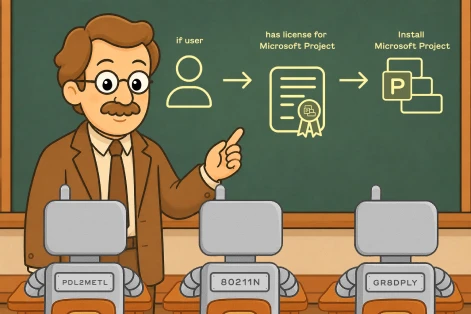
MSP owner and longtime ImmyBot customer, Dimitiri Rodis, walks through how ImmyBot uses desired state to onboard computers, deploy software, and automate maintenance to keep computers in spec across your clients.
Your next deployment doesn’t need another one-off script
Start your free 14-day trial and turn one-off installs, updates, and fixes into verified automation that keeps machines aligned over time.
Try it for yourself
No credit card required.
How ImmyBot Works
We created ImmyBot to solve the problems of the modern MSP
You set everything up correctly on day one. Then six months pass. Users uninstall things. Updates get missed. Configs change. Security agents stop reporting. Worst of all, nobody notices until it causes a problem. Manual verification at any real scale is impossible. The only answer is a system that checks continuously and corrects automatically.
Hey, don’t take our word for it
Frequently Asked Questions
Can I try ImmyBot before buying?
Yes. You can start a free 14-day trial with no credit card required and try the same core features shown throughout the product and demo.
How is this different from Intune or our RMM?
Intune handles configuration well but software install is a manual repackaging slog. Your RMM can run scripts, but it’s fire-and-forget — no detection, no drift remediation, no version pinning. ImmyBot is built around desired state: every endpoint gets checked against the spec on every maintenance session, and anything off-spec gets fixed automatically. We’re complementary to both — most customers keep their RMM and Intune and let ImmyBot handle the deploy-and-maintain layer.
Will I have to rip out the tools we already use?
No. ImmyBot integrates with the PSA, RMM, and other platforms you already pay for like ConnectWise, Halo, Autotask, Datto, NinjaOne, N-able, Azure, and more. Your existing workflows can stay where they are.
What can I automate with ImmyBot?
You can automate new computer onboarding, software installation and updates, configuration changes, software removal, ongoing maintenance, Windows patching, custom scripts, and more. Deployments can be reused across clients while still allowing tenant, user, and computer-specific rules.
How long until I can onboard my first real machine?
Most customers go from “trial signed” to “first machine onboarded” in about 20 minutes. Spin up your tenant, run the agent installer on one device, flag the deployments you want with Target Enforcement: Onboarding, and trigger a maintenance session. We’ll send a getting-started guide and a Slack channel with a real human on day one.
How long until I can onboard my first real machine?
Most customers go from “trial signed” to “first machine onboarded” in about 20 minutes. Spin up your tenant, run the agent installer on one device, flag the deployments you want with Target Enforcement: Onboarding, and trigger a maintenance session. We’ll send a getting-started guide and a Slack channel with a real human on day one.
Can ImmyBot automatically keep computers up to date?
Yes. With ongoing maintenance, ImmyBot can regularly check computers against the standards you’ve defined, detect drift, make the required corrections, and verify that the machine is back in spec.
Can we use ImmyBot across all of our clients?
Yes. ImmyBot is designed for multi-tenant MSP environments. You can create standards that apply across every client, then layer in client-specific rules, exceptions, and targeting where needed.
Is ImmyBot secure?
ImmyBot isolates each customer instance with separate databases, services, and storage and uses Microsoft Entra ID for authentication. ImmyBot is also SOC 2 Type II compliant and includes role-based access controls for managing what users can access and change.
Ready to try it for yourself?
Explore every feature of ImmyBot firsthand with a free trial, and discover exactly how it can streamline your workflow. Trials are risk and commitment-free.
Start your free 14 day trial
No credit card required.