One-click onboarding you can actually walk away from
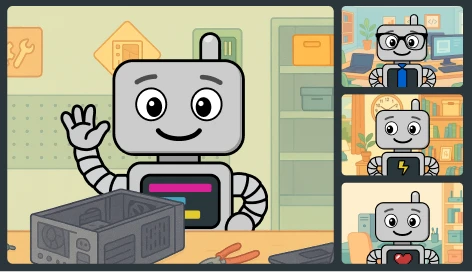
Techs have better things to do than hover over every new computer and manually click through the install process. ImmyBot turns onboarding into a repeatable workflow that starts with one click and ends with a consistent, ready-to-use machine. No hovering necessary.
Built from your defined rules
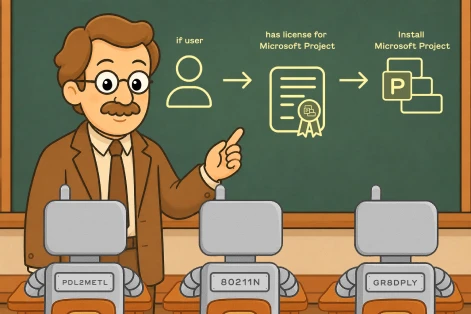
ImmyBot uses your deployments, tags, assignments, and client logic to determine what belongs on each machine.
Every step is verified
ImmyBot checks apps, configurations, updates, and agents during onboarding. There’s no need for a tech to manually confirm later.
Reboots managed automatically
ImmyBot keeps the onboarding session moving through required restarts so setup can continue without constant tech intervention.
Documented from start to finish
Every install, reboot, retry, and result is documented, giving your team a clear record of each step in the onboarding process.

The Problem
The checklist keeps growing. The day keeps disappearing.
Every new workstation setup requires your techs to sift through a pile of decisions before the real work even begins:
- Which client does this machine belong to?
- Which user is getting it?
- Which apps, licenses, printers, policies, agents, and exceptions apply?
- Which steps are documented, outdated, or only remembered by one tech?
- Which installs need to happen now, after reboot, or after the user signs in?
That’s how a “simple” setup turns into hours of clicking, checking, retrying, and hoping nothing was missed.

The ImmyBot way
Pick the client. Pick the user. ImmyBot handles the rest.
Instead of rebuilding the checklist every time, ImmyBot uses the assignments and standards you already maintain:
- Choose the client
- Assign the primary user
- Click “onboard”
Techs don’t have to guess what belong on a machine. ImmyBot already knows what the workstation should look like and installs the right apps, applies the right configurations, verifies the results, handles reboots, and logs the full session. Get it right every time.
How our onboarding works
Every new device follows the same automated path — defined once, applied to every endpoint in every tenant you manage:
Machine is ready!
Apps installed. Configs applied. Security agent verified. Domain joined. Manufacturer updates run. Windows patched. Full session log included.
Works on the factory image
ImmyBot doesn’t install Windows. It works on top of the manufacturer’s image with all drivers pre-installed. OEM license remains intact and the recovery partition preserved.
Not just USB
Using a USB during OOBE is the fastest path, but you can also install the agent by pushing it via your RMM, or using ISO/bootable media for virtual machines.
One USB, every client
The ImmyBot agent doesn’t contain client-specific data. It just installs the agent. ImmyBot then determines what to install based on the tenant you assign. Swap clients, not USBs.
WiFi & admin pre-configured
The agent can include WiFi SSID/password and a local admin account. The machine boots, connects to the network, and checks in — without you touching the keyboard.
Encrypted PPKG
For extra security, password-protect the provisioning package. If the USB gets lost, nobody can extract the WiFi password or admin credentials.
Stop spending your best tech hours on the same workstation setup loop.
Are you ready for less clicking, fewer missed steps, and cleaner handoffs? Start your free trial and see how ImmyBot makes new computer onboarding fast and consistent.
Built for the MSP onboarding workflow, not bolted onto an RMM
Onboarding-only deployments
Some tasks only make sense during setup: computer rename, domain join, or initial profile creation. Mark them onboarding-only so they run once and never again.
Don’t hope, verify
ImmyBot doesn’t fire an installer and move on. It re-checks the machine after every step to verify the right software version is actually there and working.
Auto-reboot handling
Some installs need reboots. ImmyBot reboots automatically between stages during onboarding. No more user prompts or waiting for someone to click “Restart Now.”
Follow-up email
Send the user a branded email when their machine is ready. “Your new laptop is set up. Here’s what we installed.” Professional, automatic, zero effort from you.
Full session log
Every detection, every install, every config change, and every verification are logged with timestamps. You’ll know exactly how to answer when someone asks, “what did you do to this machine?”
Bulk onboarding
Ten laptops to deploy this week? Configure them in batch. Same onboarding settings, same overrides, applied to all of them at once. Skip individual machines that aren’t ready.
Frequently Asked Questions
How is this different from Intune or our RMM?
Intune handles configuration well but software install is a manual repackaging slog. Your RMM can run scripts, but it’s fire-and-forget — no detection, no drift remediation, no version pinning. ImmyBot is built around desired state: every endpoint gets checked against the spec on every maintenance session, and anything off-spec gets fixed automatically. We’re complementary to both — most customers keep their RMM and Intune and let ImmyBot handle the deploy-and-maintain layer.
Will I have to rip out the tools we already use?
No. ImmyBot integrates with the PSA, RMM, and other platforms you already pay for like ConnectWise, Halo, Autotask, Datto, NinjaOne, N-able, Azure, and more. Your existing workflows can stay where they are.
What if my team doesn't write PowerShell?
You don’t need to. ImmyBot ships with 1,900+ pre-built metascripts covering the software MSPs actually deploy — Office, Adobe, Chrome, line-of-business apps, OEM updaters, BitLocker, antivirus. For day one, you point and click. PowerShell is the escape hatch when you outgrow the catalog, not the price of entry.
How long until I can onboard my first real machine?
Most customers go from “trial signed” to “first machine onboarded” in about 20 minutes. Spin up your tenant, run the agent installer on one device, flag the deployments you want with Target Enforcement: Onboarding, and trigger a maintenance session. We’ll send a getting-started guide and a Slack channel with a real human on day one.
Does ImmyBot install Windows?
No — ImmyBot picks up after Windows. You bring the OS via OEM image, Windows Autopilot, MDT, or a USB install, and the ImmyBot agent takes over from first boot: directory join, BitLocker, OEM firmware, your full software stack, and ongoing maintenance. We integrate with Autopilot so the handoff on brand-new devices is seamless — the end user sees one continuous setup.
Do I need a different installer for every client?
No. The agent installer is the same binary across every client — what differs is the enrollment key you pass to it, which tells the agent which tenant to register with. Push the same one-liner through your RMM, GPO, an Autopilot script, or a USB stick, parameterized per client. One artifact to maintain, every tenant supported.
Can I onboard multiple laptops at once?
Yes — every device runs its own maintenance session in parallel. The agent is local, the orchestration is cloud-side, and there’s no per-tenant serial queue. MSPs routinely stand up 40–60 seat clients in a single afternoon by plugging in machines as fast as the WiFi can carry them. The bottleneck is your network, not ImmyBot.
What happens if an install fails?
The session marks the deployment failed and captures the full stack trace plus stream output — exactly what your tech would see if they ran it manually.
Can onboarding tasks run only once?
Yes. Set the deployment’s Target Enforcement to Onboarding and it only fires while the device is in its onboarding state — perfect for things like initial directory join, hostname assignment, or first-run user profile setup. Once onboarding completes, those deployments stop being evaluated, while your Maintenance-level deployments keep running on the recurring schedule. One spec, two phases, no duplicate work.
Is it secure enough for our healthcare and finance clients?
Yes. ImmyBot is SOC 2 Type II certified, with isolated per-customer instances (dedicated database, queue, and secrets vault — no shared rows). The agent is outbound-only over mTLS on port 443, so no inbound firewall rules. Every session is signed and replayable, which doubles as audit evidence for HIPAA, PCI, and CMMC engagements.
1,800+
pre-written scripts
2 hours
average time saved
onboarding a computer
74M+
Deployment sessions per year
“We wouldn’t have been able to grow as fast as we did without ImmyBot.”

—Anthony Birone Founder of ElasticIT
Ready to try it for yourself?
Try out every feature of ImmyBot firsthand with our free trial, and discover exactly how it can streamline your workflow—risk-free and commitment-free.
Start your free trial
14-day free trial. No credit card required.