Click to learn more about adding this feature
Scheduled Maintenance Sessions
Scheduled maintenance that doesn’t turn into unplanned chaos
Your deployments define what every endpoint should look like. Schedules make sure that work actually happens — at the right time, for the right tenants, with the right maintenance window.
Run maintenance on your terms
You decide when maintenance runs for your endpoints, whether notification emails should be sent, and which deployments the schedule should apply to.
Let deployments do the deciding
Schedules turn deployment logic into automatic follow-through. Computers stay aligned without relying on someone to remember all the details and make sure things got done.
Stagger work across tenants
Spread maintenance tasks across tenants, days, or endpoint groups, so each client gets a predictable maintenance window and minimal disruption.
Verify every result
ImmyBot confirms the endpoint is correct after each session, helping prevent small failures from becoming client-visible issues.

The Problem
The computer was right on day one, but day 30 is a different story
When maintenance is not scheduled, it turns into a loose collection of reminders, scripts, and follow-up tasks:
- RMM scripts that run when someone remembers
- Patch windows that don’t line up with app maintenance
- One-off cleanup jobs
- Manual follow-up after failed installs
- User disruption because changes happen at the wrong time
- No clean record of what changed, when, or why

The ImmyBot way
Turn your standards into an automated maintenance calendar
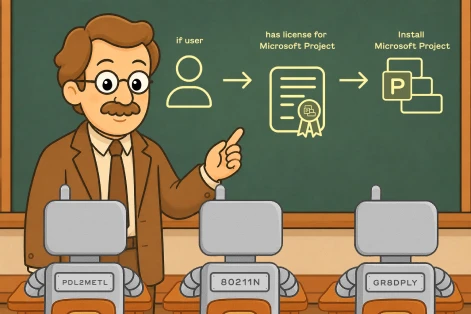
In ImmyBot, deployments define the desired state: what software, versions, settings, tasks, and exceptions apply to each computer, user, tenant, or group. Schedules control when ImmyBot runs maintenance to ensure those endpoints remain in the desired state.
Stop building separate patch jobs, update scripts, installer policies, or remediation routines. Give ImmyBot a recurring maintenance window and let it resolve what each endpoint actually needs using a scheduled maintenance session. When the schedule fires, ImmyBot starts the right maintenance session for the right machines and records the outcome to boot!
How scheduled maintenance works
Never let maintenance fall through the cracks again
Sign up for a demo account to see how schedules keep endpoints aligned long after onboarding is done.
Built for recurring maintenance without pileups
Full maintenance, not fragmented jobs
ImmyBot best practices recommend using full maintenance where possible and avoiding a pile of individual deployment schedules. That keeps the maintenance model cleaner and easier to reason about.
Weekly maintenance without overload
ImmyBot recommends running scheduled maintenance at most once a week across your instance. For large environments or constrained session capacity, ImmyBot recommends batching.
Tenant-aware scheduling
Give each tenant its own maintenance rhythm, so updates happen when they make sense for that client instead of your entire instance.
Tag-based maintenance windows
Create tags like “Monday,” “Saturday,” and “Sunday,” then assign tenants to those tags to automatically place them into the right maintenance window.
Canary schedules
Use a “canary” tag and schedule to push maintenance to a controlled group before the rest of the environment. That gives your team a chance to catch issues before a broader rollout.
User-aware notifications
Schedules can include maintenance notification requirements. If included, maintenance sessions can notify users before and after changes occur.
Frequently Asked Questions
What happens during a scheduled maintenance session?
ImmyBot identifies applicable deployments, checks the current state, creates a plan, executes maintenance actions, checks the endpoint again, and reports the results.
How are schedules different from deployments?
Deployments define desired state: what should be installed, updated, removed, ignored, or configured. Schedules trigger maintenance periodically so ImmyBot can evaluate those deployments and bring machines into compliance. You still need a deployment for the maintenance item to define the desired state.
How often should we run scheduled maintenance?
ImmyBot recommends scheduled maintenance at most once a week across the instance. Larger environments can stagger maintenance across batches of computers or tenants on different days.
Can I run maintenance more than once per day?
No. ImmyBot schedules are allowed to run at most once per day. Sub-daily or interval-based schedules like every 30 minutes or every 6 hours are not supported.
Will ImmyBot start changing machines as soon as I save a deployment?
No. The docs explicitly warn users not to be afraid to save deployments because they do not apply automatically. If you want ImmyBot to enforce deployments automatically, you need a schedule.
Can I schedule maintenance for one specific tenant?
Yes. You can run maintenance on a single computer or select multiple computers and run maintenance through batch actions.
Do schedules work on the Starter plan?
No. All maintenance sessions require maintenance slots. These can be easily added through the user portal.
Should I create a schedule for every single app?
Usually, no. ImmyBot’s best practices recommend using full maintenance where possible and avoiding individual deployment schedules unless there’s a specific reason.
Can we test before rolling out broadly?
Yes. Use a Canary tag and schedule to run maintenance against a controlled group first, review the sessions, then proceed with broader tenant or endpoint maintenance.
1900+
pre-written scripts
2 hours
average time saved
onboarding a computer
74M+
Deployment sessions per year

“We wouldn’t have been able to grow as fast as we did without ImmyBot.”

—Anthony Birone Founder of ElasticIT

Ready to try it for yourself?
Try out every feature of ImmyBot firsthand with our free trial, and discover exactly how it can streamline your workflow—risk-free and commitment-free.
Start your free trial
14-day free trial. No credit card required.