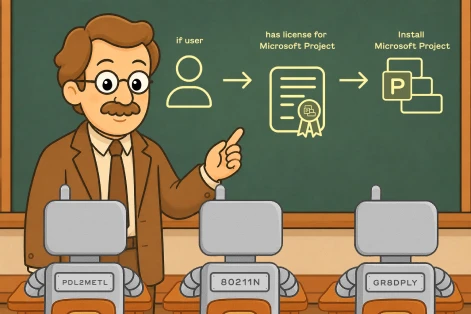
Your junior tech shouldn’t have
the same keys as your senior admin.
Control who can access what in ImmyBot. Create custom roles, scope permissions by tenant or tag, and verify access before techs touch production.
Keep every tech in the right lane
Limit permissions by owner, tenant, tenant tag, user tenant, or supported computer resource so techs only reach the clients and computers they should.
Start with built-in roles or create your own
Use our role templates for common rules of access or create custom roles from 100+ capability settings when your team needs more precision.
Manage groups, not one-off permissions
Assign roles to groups so new hires, staffing changes, and responsibility shifts do not turn into manual permission cleanup.
Verify access before rollout
Use mock users, impersonation, and access checks to confirm exactly what someone can see and do before permissions go live.
Want to get really specific? We have you covered.
Scripts, software, tasks, tags, and media files each carry their own authorization rules that are independent of role assignments. That means a tech needs both their role assignment and permission on the object itself. If either check fails, ImmyBot blocks the action.
- Scripts
Sensitive or privileged scripts can be locked down even for techs with broad Script Manager access. - Software
Restrict which techs can deploy or modify a specific software package. - Tasks
High-risk tasks (disk wipe, domain unjoin) can require additional authorization to execute. - Tags
Control who can apply or remove tags — especially those that drive security-sensitive deployments. - Media
Restrict access to deployment media files — installers, configs, and other sensitive assets.
Open the right doors. Lock the rest.
Each assignment combines a role, a scope, and an allow or deny. Allows can stack, so a user can get access through more than one role or group. But when something needs to stay off-limits, deny takes priority.
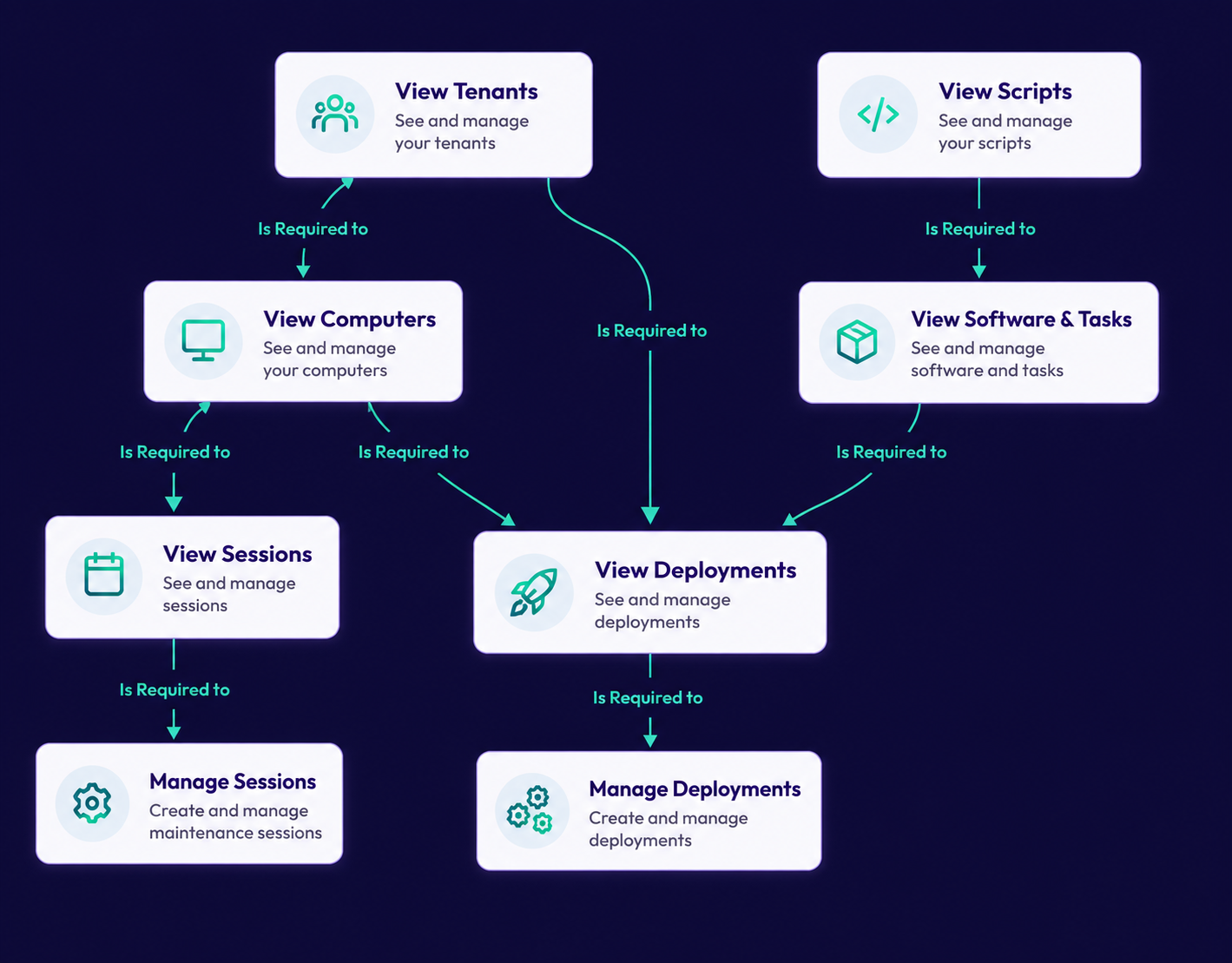
Test out access before someone actually uses it
Before a real user logs in, you can see what their access will look like. Use mock users, impersonation, and access checks to confirm what they can see and do, so permission issues get caught before they turn into tickets.
- Mock users
Create a test user to validate role and group behavior before assigning access to a real person. - User impersonation
Review the user experience from that user’s point of view when troubleshooting access. - Check Access tab
Confirm whether a user should have access to a specific permission, resource, or system-level action.
Ready to turn access control into a growth tool, not a bottleneck?
Start your free trial and see how ImmyBot helps techs support clients, manage deployments, and protect sensitive settings faster with permissions that stay tied to the right tenants.
What is RBAC in ImmyBot?
RBAC stands for Role-Based Access Control. It lets you control what users can do in ImmyBot and where those permissions apply.
Can clients access only their own tenant?
Yes. User’s tenant scope is useful for customers or co-managed IT users who should only work inside their own environment.
Can I scope access by tenant?
Can I block users from specific tenants?
Yes. Deny assignments take precedence over allowed assignments, so specific tenants or resources can be blocked when needed.
Can roles be assigned to groups?
Yes. Groups are recommended for shared permission requirements because group members inherit the role assignments attached to the group.
Can I create custom roles?
Yes. Custom roles let you select from 100+ available capabilities, so you can create roles that match your team’s actual responsibilities instead of relying on all-or-nothing admin access.
Does RBAC apply to scripts, software, and tasks?
Yes. RBAC is considered when determining whether a user can view or manage protected objects like scripts, software, tasks, tags, and media.
Can I test permissions before assigning them?
Yes. You can use mock users, impersonation, and access checks to confirm what a user should be able to access.
1900+
pre-written scripts
2 hours
average time saved
onboarding a computer
74M+
Deployment sessions per year

“We wouldn’t have been able to grow as fast as we did without ImmyBot.”

—Anthony Birone Founder of ElasticIT
Ready to try it for yourself?
Try out every feature of ImmyBot firsthand with our free trial, and discover exactly how it can streamline your workflow—risk-free and commitment-free.
Start your free trial
14-day free trial. No credit card required.