Overview
This document is intended to give you an overview of the Compliance Tool and it’s functionalities. The intention of the Compliance Tool is to give you a centralized location to review session results.
Prerequisites
An active ImmyBot subscription or trial
Navigation
The Compliance Tool is in the navigation column on the left hand side of your ImmyBot instance.
You can export the results from the top right of the results page.

Using the Compliance Tool
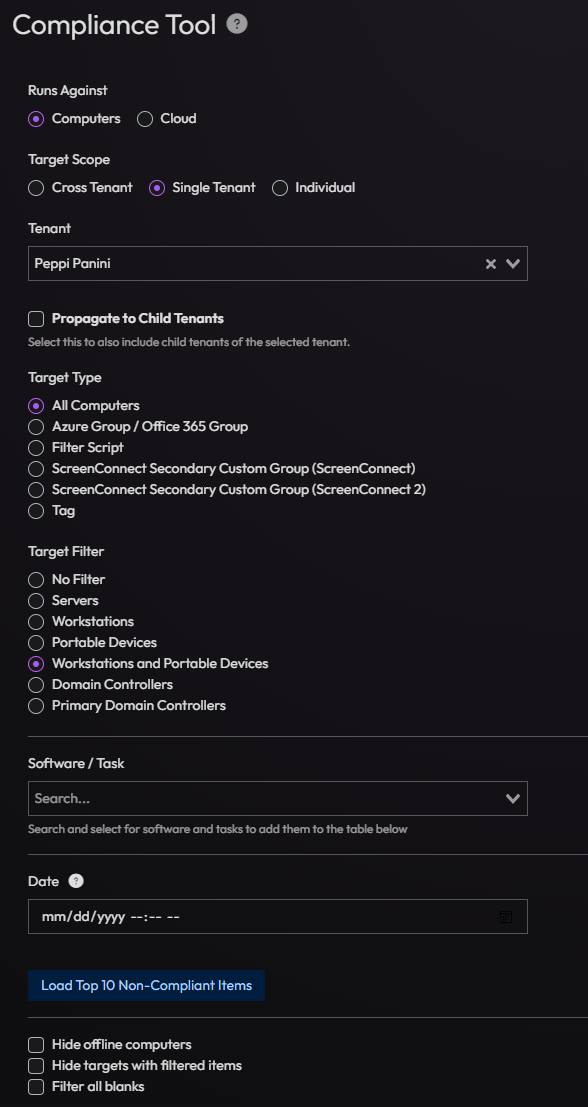
- Select what you’re going to run this task against, cloud or computers.
- Cloud allows you to run Cloud Tasks, where computers let you run Software and Computer Tasks.
- Select the Target Scope and filter
- Select the Software/Task item you need to review
- Set a date if you need to.
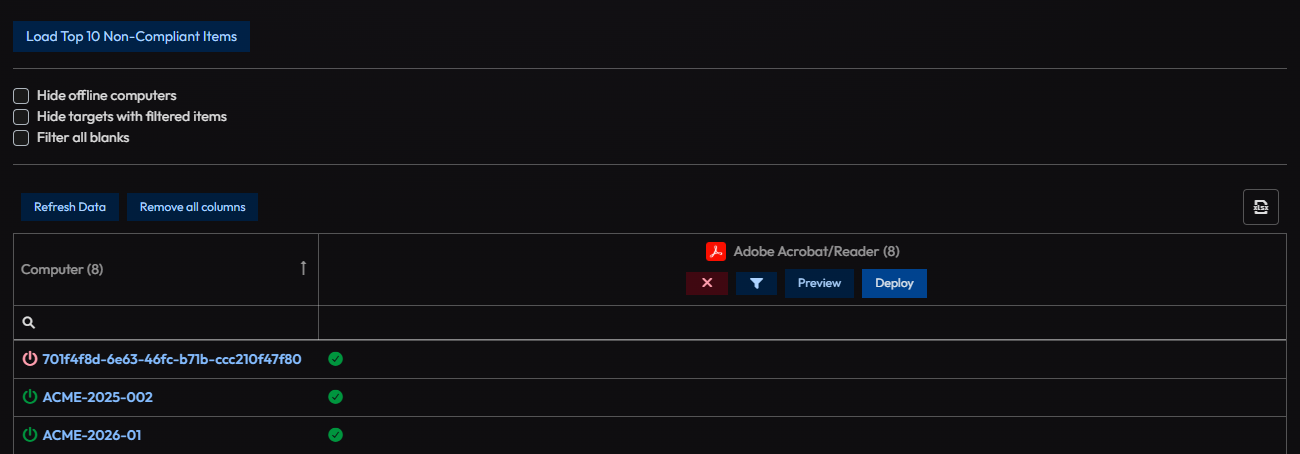
- When you scroll down, you will be presented with a list of available computer endpoints that match your criteria
If there was a session that ran with the Software or Task you specified, you will be given the results of that run. You can also deploy this maintenance item from here.
You’re not limited to one maintenance item, you have have more then one showing, just add the item again from step 3 above.
What the Dashboard nav item shows today
The Dashboard nav item now points to a different page: a grid of at-a-glance stat widgets covering things like Sessions, Computers, Windows Updates, OS Lifecycle, Integrations, Users, and Deployments. It does not provide the target/task picker or results-table workflow described above for that, use the Compliance Tool page.