Tenants represent your customers or client organizations in ImmyBot. Each tenant is a separate entity with its own computers, users, and configurations.
Overview
- Tenants can be created manually or synced automatically from external systems
- We recommend syncing Tenants from ConnectWise Automate, Microsoft Azure, or other supported integrations
- Tenants can be organized in a hierarchical structure with parent-child relationships
- Each tenant can have its own specific settings, deployments, and maintenance windows
Tenant List
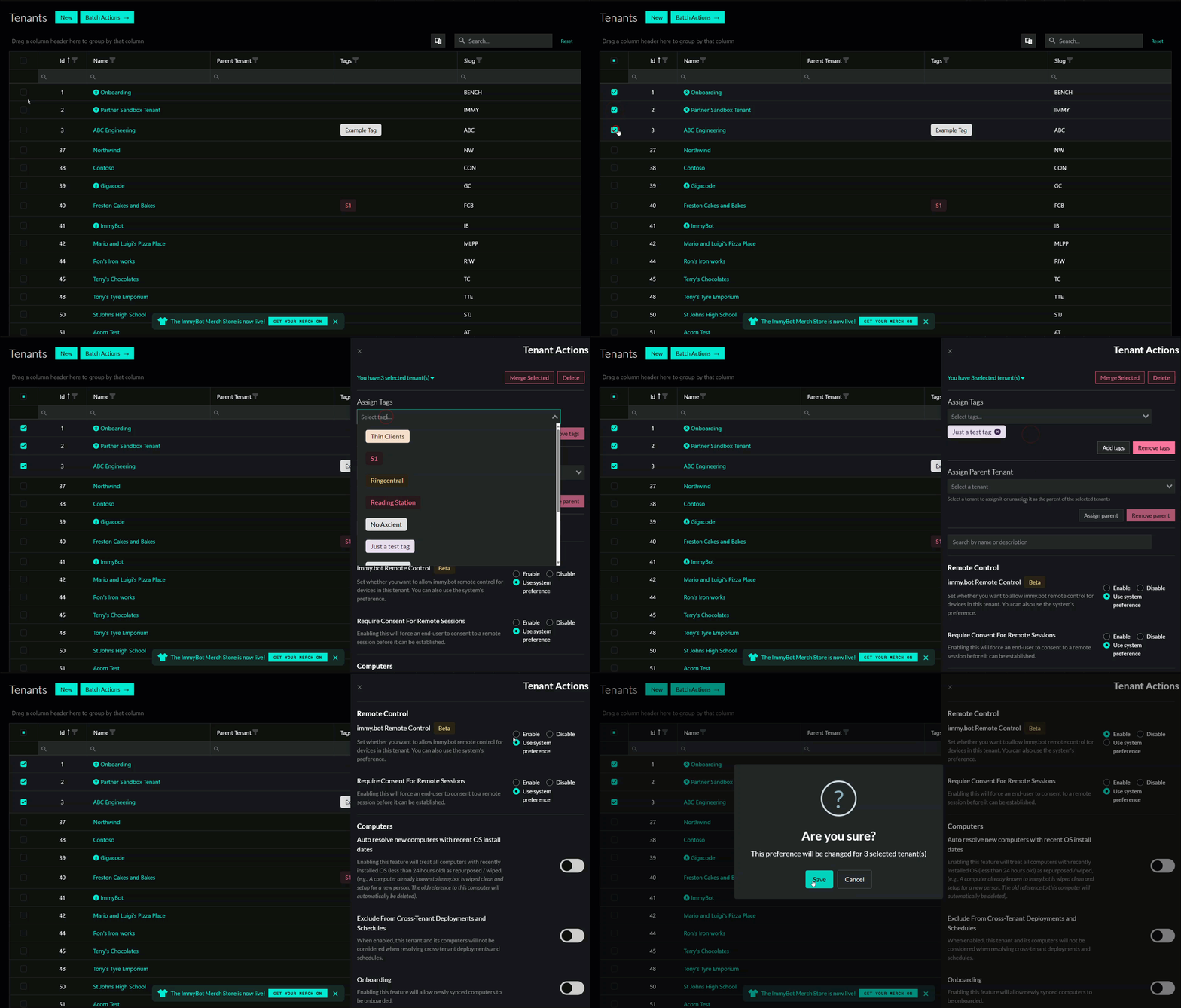
All columns have a search and filter function, as well as the ability to sort said columns. You can also create new tenants manually here, and run batch actions against a selection of tenants.
-
New tenants can be created manually, however we do recommend you manage tenant creation through an integration. Please see Tenant Management
-
Bulk actions allow you to make mass changes to tenant preferences to streamline your tenant management where necessary.
Tenant Structure
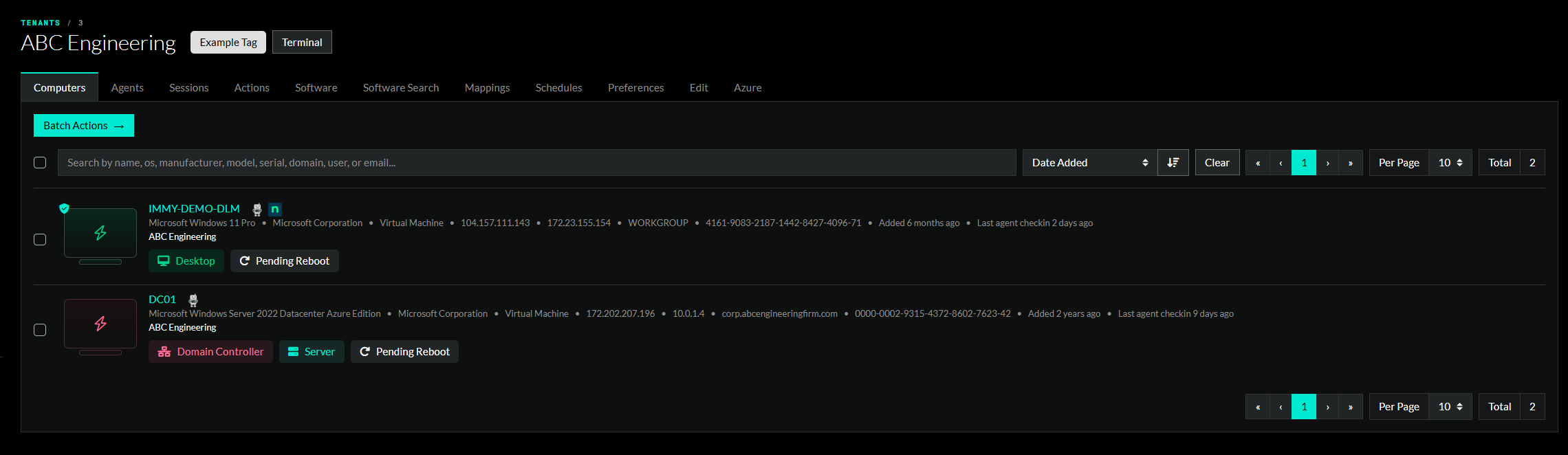
When you click into a tenant you will see any tags associated with the tenant at the top, and a list of tabs that pertain to the contents of the tenant or the preferences you’ve set for the tenant. From this page you can:
- Computers – Manage computers individually and en masse
- Sessions – Review sessions for the tenant
- Actions – Review actions taken against the tenant
- Software Review and deploy software across the computers in the tenant
- Software Search Search for software that exists in the tenant’s endpoints
- Schedules – Manage schedules for deployments
- Preferences – Set the preferences such as business hours, time zone, and cross tenant deployment participation
- Edit – Edit the tenant name, slug, parent tenat, tags
- Azure – Manage and test the Azure connection