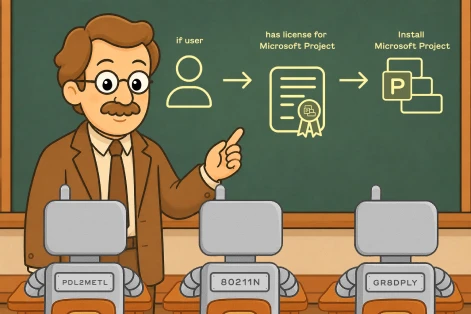
Claude Browser Extension
Allows the AI assistant to read, click, type, and navigate websites directly within your web browser.Looking for a Powershell script for the Claude Browser Extension?
This task is part of ImmyBot’s 1,800+ library of ready-to-use PowerShell scripts. Instead of writing, testing, and running scripts manually on every computer, ImmyBot helps you automate Windows configurations and maintenance across the computers you manage.
How ImmyBot puts this Claude Browser Extension PowerShell task to work
ImmyBot turns individual PowerShell tasks into repeatable deployment workflows. Choose which computers, users, or tenants should receive this task, configure its parameters, and let ImmyBot handle execution. For tasks that support configuration testing, ImmyBot can also detect when settings don’t match your standards, make corrections, and verify the results.
01. Choose where this Claude Browser Extension task applies
Create a task deployment and select the computers, users, or tenants it should target. You can also use deployment rules to control where the task runs.
02. Set your configuration
Adjust the task’s available parameters to match your requirements. Apply consistent settings across multiple computers without manually editing and running PowerShell scripts on each one.
03. Let ImmyBot do the work
Run the task during onboarding, automatically through required maintenance, or on demand. For tasks with detection logic, ImmyBot can check whether the desired configuration is already in place before making changes.
04. Every change gets checked before the job is done
For tasks that implement testing, ImmyBot can check the resulting configuration and report whether it meets your requirements. Review maintenance session results and logs to identify problems without manually checking each computer.

See how scripts like this are deployed in ImmyBot
Watch how ImmyBot installs, configures, and verifies software across your entire fleet — automatically.







No matter your role, ImmyBot has your back
Whether you’re running an MSP, managing internal IT, or doing the hands-on work, ImmyBot makes your day a whole lot easier.

MSP Owners
Grow your business without growing your workload. Automate repetitive IT tasks across clients so your team can do more with less.

Internal IT Teams
Spend less time babysitting computers and chasing updates. Keep your organization running smoothly while focusing on bigger priorities.
Technicians & Engineers
Stop doing the same work over and over. Automate installs, updates, and fixes so you can spend more time solving interesting problems.
Hey, don’t take our word for it

Ready to try it for yourself?
Try out every feature of ImmyBot firsthand with our free trial, and discover exactly how it can streamline your workflow—risk-free and commitment-free.
Start your free trial
14-day free trial. No credit card required.