Autodesk Vehicle Tracking 2025
Swept-path analysis tool for checking vehicle movement through car parks, roundabouts and site layouts.Looking for a Powershell script to install Autodesk Vehicle Tracking 2025?
This is one of the 1,800+ maintained scripts available exclusively through ImmyBot. Our automation platform puts a library of ready-to-use scripts to work, handling software deployments, configurations, and ongoing maintenance without all the manual effort.
How ImmyBot can save you time with this script:
Install Autodesk Vehicle Tracking 2025
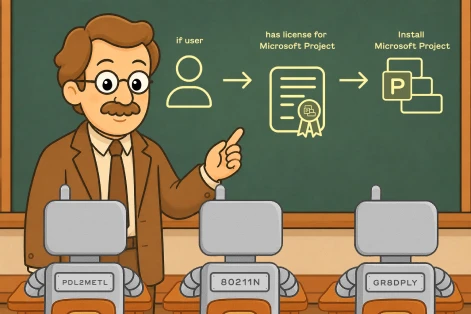
ImmyBot uses this Autodesk Vehicle Tracking 2025 deployment script to automatically install the application on the computers of your choice, without the need to write or run PowerShell scripts manually. Simply assign the deployment to the computers, users, or tenants you choose, and ImmyBot handles the rest. It detects whether Autodesk Vehicle Tracking 2025 is installed, installs or updates it when needed, and verifies the results to keep your computers up to date.
Configure Autodesk Vehicle Tracking 2025
How this Autodesk Vehicle Tracking 2025 script works with ImmyBot
ImmyBot isn’t a script runner or an RMM. It’s a desired state engine tool purpose-built for MSPs. ImmyBot uses a continuous loop where you define your standards, then ImmyBot detects when machines drift from them and corrects every gap automatically. It’s not AI, just smart standards that you control.
01. Add Autodesk Vehicle Tracking 2025 to your deployment rules
Start with the rules. You choose what to install, update, remove, configure, or run and who it applies to. ImmyBot turns those rules into standards and enforces them.
02. ImmyBot detects if each machine matches those rules
A read-only pass scans every machine against its desired state. Every gap, including missing apps, wrong versions, and broken configs, is catalogued without touching anything.
03. ImmyBot handles installs, updates, repairs, and reboots
You choose when ImmyBot executes on precisely what the detection found: install what’s missing, update what’s outdated, and repair what’s broken.
04. Every change gets checked before the job is done
After every execution, a machine isn’t marked compliant until is passes the check. Sessions are logged in the dashboard so you know if there were any issues.

See how scripts like this are deployed in ImmyBot
Watch how ImmyBot installs, configures, and verifies software across your entire fleet — automatically.







No matter your role, ImmyBot has your back
Whether you’re running an MSP, managing internal IT, or doing the hands-on work, ImmyBot makes your day a whole lot easier.

MSP Owners
Grow your business without growing your workload. Automate repetitive IT tasks across clients so your team can do more with less.

Internal IT Teams
Spend less time babysitting computers and chasing updates. Keep your organization running smoothly while focusing on bigger priorities.
Technicians & Engineers
Stop doing the same work over and over. Automate installs, updates, and fixes so you can spend more time solving interesting problems.
Hey, don’t take our word for it

Ready to try it for yourself?
Try out every feature of ImmyBot firsthand with our free trial, and discover exactly how it can streamline your workflow—risk-free and commitment-free.
Start your free trial
14-day free trial. No credit card required.