Tell your AI what needs doing and ImmyBot gets to work
Connect Claude, ChatGPT, GitHub Copilot in VS Code and other AI clients to your ImmyBot instance. Ask in plain English, and the AI looks things up or takes action across your tenants, with your permissions. Every run is recorded under your name.
View the documentationCheck out our pricing

Ask as much as you want.
Take action when you need to.
Questions about your ImmyBot data are free on every plan. Running anything on a computer counts that computer toward your monthly maintenance slots, once per month.
Free on every plan
Your ImmyBot data
Look up computers, tenants, deployments, software and compliance across your instance. Nothing runs on a computer, so no slot is used.
Example Prompt
“Show me which computers are missing this month’s Windows updates.”
Free on every plan
Read Only diagnostics
Connect with Read Only access and the AI can check disk space, services, processes, event logs, files and registry values on a computer, without changing anything and without using a slot.
Example Prompt
“Check free disk space on C: on computer XYZ.”
Uses a maintenance slot
Running on a computer
Run PowerShell and perform maintenance on managed computers. Each computer a script reaches counts once per month. Computers already maintained this month, or onboarded in the last 7 days, cost nothing extra.
Example Prompt
“Restart the print spooler on computer XYZ.”
The AI writes and runs PowerShell, so it isn’t limited to a few preset buttons
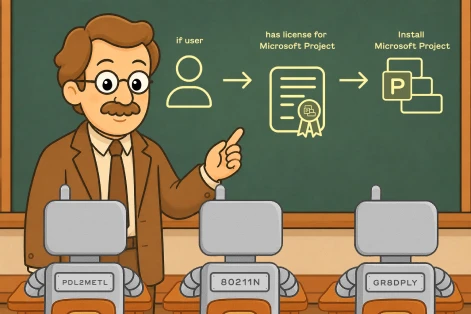
Most AI integrations give the model a short list of preset actions. ImmyBot uses code mode: the AI looks up the right PowerShell commands and API operations, checks what they need, and then writes and runs short scripts against your instance for you.
Restricted in the cloud, permission-checked on computers. Cloud-side scripts run in the same restricted PowerShell as the Script Editor. Anything run on a computer needs Run Arbitrary Scripts for that tenant, just like the Terminal tab.
core tools
- search
Finds the PowerShell commands and API operations relevant to your request. - describe
Shows a command’s parameters, the permissions it needs, and its expected output. - get_instance_info
Gives an overview of your tenants, computers and deployments. - execute
Runs a PowerShell script against a specific computer or tenant. - get / cancel
Checks on a run that’s still in progress, gets its output, or stops it. - start_session / end_session
Groups related runs under one label so a multi-step job stays easy to follow.
Built-in Security
Give AI tools access. Keep your rules.
Connecting an assistant doesn’t give it a free pass through your environment. MCP uses the signed-in user’s existing ImmyBot permissions, with controls over connection methods and an audit trail for script runs.
Runs as you
Every action runs under your ImmyBot sign-in or your personal access token. If you couldn’t do something yourself in ImmyBot, the AI can’t do it either.
Controlled with RBAC
Assistants act as the connected user. Tenant scope and Run Arbitrary Scripts permissions still apply.
Read Only or Full Access
Choose the access level for each token or sign-in. Read Only can look things up and run diagnostics, but can’t change anything.
Recorded under your name
Every run is recorded in script-run history under the person who connected, not a generic AI account. Any changes it makes appear in the audit log.
Ready to supercharge your workflow?
Connect your AI client to ImmyBot and turn plain-English requests into lookups and actions across your tenants. It runs under your permissions and shows up in your audit log.
No credit card is required for our 14-day free trial. No budget approval needed!
Hey, don’t take our word for it
Frequently Asked Questions
What is MCP?
MCP (Model Context Protocol) is an open standard that lets AI tools connect to other software. ImmyBot has a built-in MCP server, so any supported AI client can connect to your instance and work with your tenants, computers, and deployments, all within your own permissions.
Which AI clients are supported?
We document connections for Claude, Claude Code, ChatGPT, Codex, Cursor, and GitHub Copilot in Visual Studio Code. Other clients that support the Streamable HTTP transport should also work, but aren’t individually tested. The older SSE transport isn’t supported.
Can an AI assistant actually run scripts on computers?
Yes, if you have the Run Arbitrary Scripts permission for the target tenant or computer. Scripts the AI sends to a computer run there with full PowerShell, as SYSTEM or the logged-on user, the same as the Terminal tab. ImmyBot doesn’t ask for its own confirmation, so review consequential actions before you approve them in your AI client.
Can the AI do more than I'm allowed to?
No. Everything a connected AI does runs under your own permissions. MCP doesn’t loosen or tighten tenant boundaries, and running scripts still requires the Run Arbitrary Scripts permission for the target tenant or computer.
Can I give the AI read-only access?
Yes. Choose Read Only or Full Access for each token or sign-in. New tokens start as Read Only. Read Only can look things up and run diagnostics on computers, but can’t run scripts or change anything. Both levels still follow your role’s permissions.
Can I see what the assistant did?
Yes. Every run is recorded in script-run history under the user whose sign-in or token was used, and the MCP page shows recent activity. Changes a run makes appear in the audit log under the same name. You review AI activity the same way you review a technician’s.
Do I need a special AI ImmyBot plan?
No. MCP is included with every ImmyBot plan. Questions about your ImmyBot data are free. Running anything on a computer counts that computer toward your monthly maintenance slots, once per month. Read Only connections can run diagnostics on computers without using slots. Your AI client may need its own plan that supports custom connectors. For example, ChatGPT’s Developer Mode isn’t available on its free plan.
What version of ImmyBot do I need?
ImmyBot 0.85.0 or later, with the MCP server turned on, an MSP-level account with an MCP connection permission, and a compatible AI client. Running scripts also needs Run Arbitrary Scripts for the target and available maintenance slots.
Can I turn it off?
Yes, instantly. MCP is switched on or off for the whole instance, and turning it off disconnects every AI client at once. Admins with the right permission can also revoke individual personal access tokens, which takes effect immediately.
Ready to try it for yourself?
Try out every feature of ImmyBot firsthand with our free trial, and discover exactly how it can streamline your workflow—risk-free and commitment-free.
Start your free trial
14-day free trial. No credit card required.