Managing billing shouldn’t require guesswork or a ticket.
We’ve rolled out a new in-product billing page designed to give you complete visibility into your plan, usage, and invoices—right where you’re already working. Whether you’re scaling your fleet, reviewing costs, or adjusting your plan, everything you need is now centralized, transparent, and easy to act on.
To start navigate to “SHOW MORE” on the left hand navigation in your ImmyBot instance. Then select “BILLING”. Here’s a walkthrough of what’s new and how it helps.
A Clear Snapshot of Your Billing
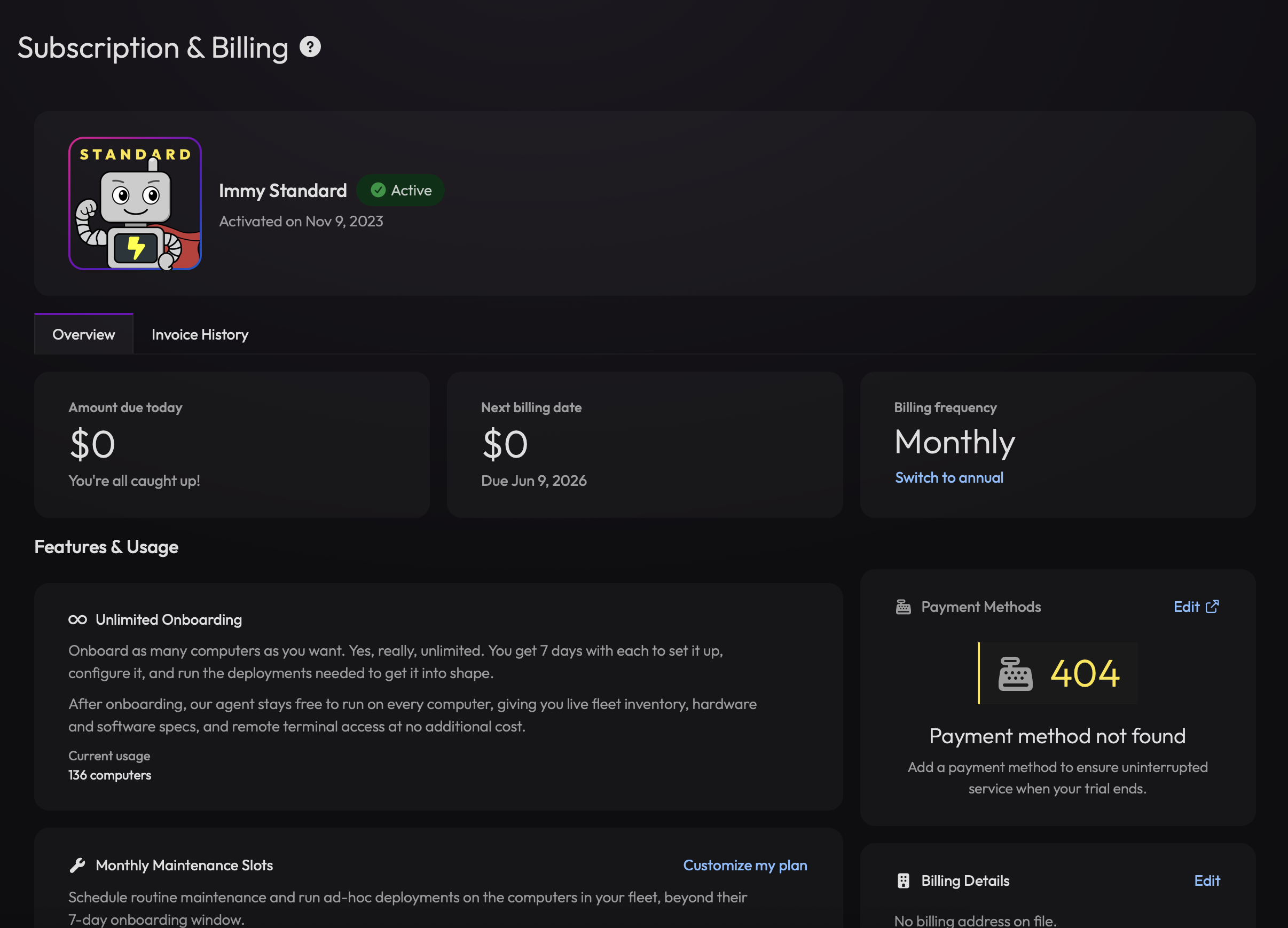
At the top of the page, you’ll find a simple but powerful overview of your current billing state:
- Amount due today – See immediately if anything is outstanding
- Next billing date – Know exactly when your next charge will occur
- Billing frequency – Easily view and switch between monthly and annual billing
Full Visibility Into Usage & Plan Limits
Understanding how your usage maps to your plan is critical. The new billing page breaks this down into clear, trackable components:
Unlimited Onboarding (with context)
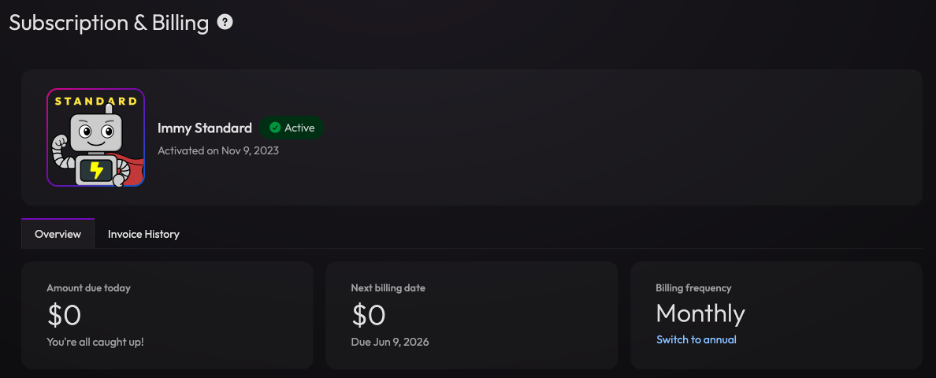
You’ll see not only that onboarding is unlimited, but also:
- The 7-day onboarding window per device
- What happens after onboarding completes
- Your current fleet size (e.g., number of computers onboarded)
This gives you clarity on how onboarding interacts with ongoing usage.
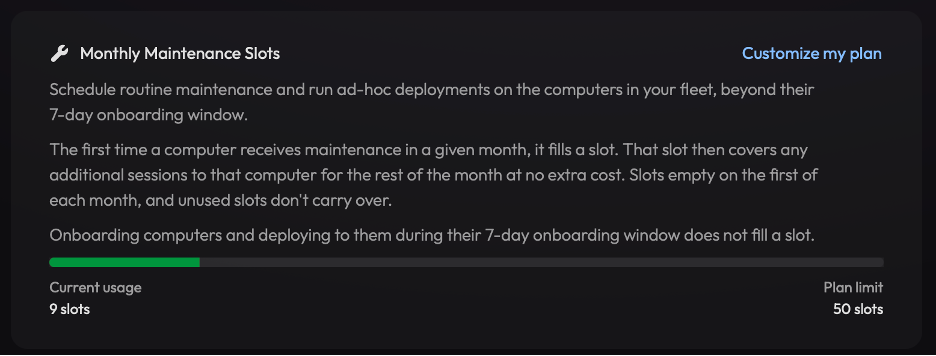
Monthly Maintenance Slots
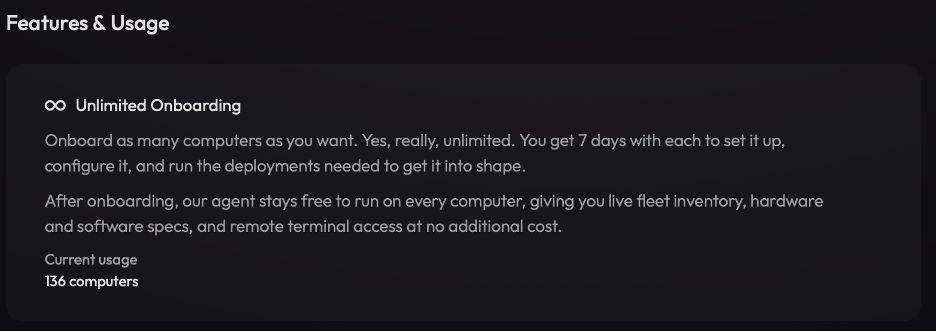
Maintenance slots are now much easier to understand and monitor:
- Visual indicator of current usage vs. plan limit
- Explanation of how slots are consumed:
- First maintenance action per device per month uses a slot
- Additional sessions on that device are included
- Clear note that:
- Slots reset monthly
- Unused slots don’t roll over
- Onboarding activity does not consume slots
This makes it easier to plan deployments and avoid surprises.
Concurrent Sessions (What You Can Do Right Now)
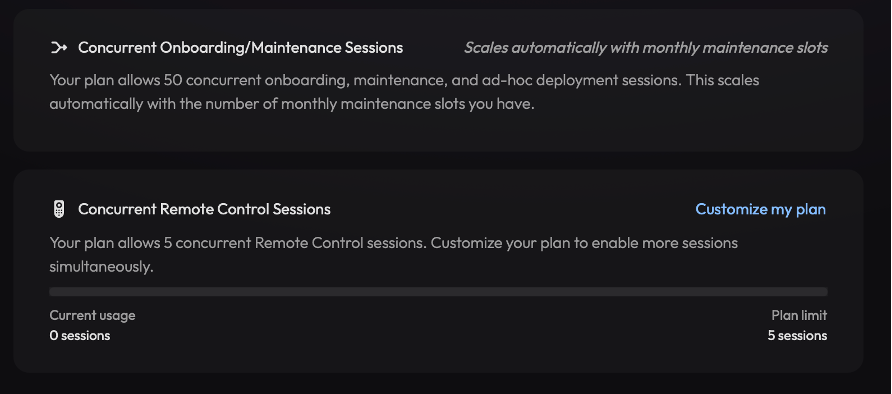
Concurrency is often one of the most important—and misunderstood—limits. The new billing page clarifies it across two areas:
-
Concurrent Onboarding / Maintenance Sessions
- Shows how many deployments can run simultaneously
- Scales automatically with your maintenance slots
- Provides clear expectations for operational throughput
-
Concurrent Remote Control Sessions
- Displays your current allowance for remote sessions
- Shows real-time usage against limits
- Provides a clear path to increase capacity if needed
Plan Customization and Upgrades
You can now adjust your plan directly from the billing page:
- Customize your plan based on usage needs
- See how changes relate to your current limits
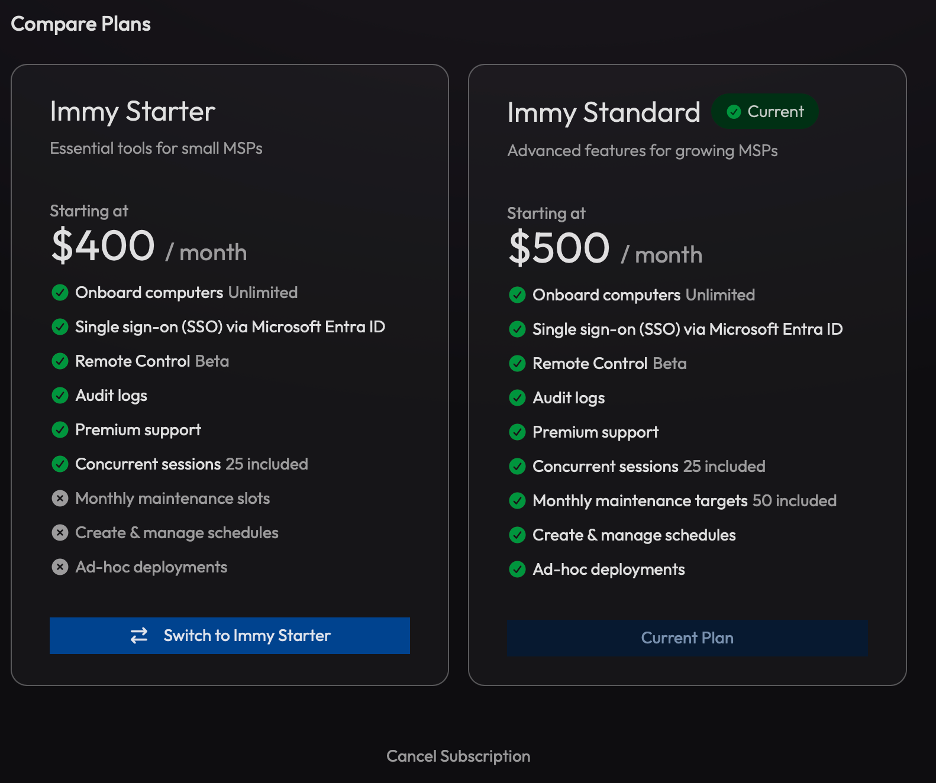
- Compare plans side-by-side (Starter vs. Standard)
The built-in comparison makes it easy to understand:
- What features are included at each tier
- What additional functionality unlocks when upgrading
- How pricing aligns with capability
This removes friction from scaling as your business evolves.
Payment and Billing Details (All in One Place)
Administrative updates are now self-service and easy to manage:
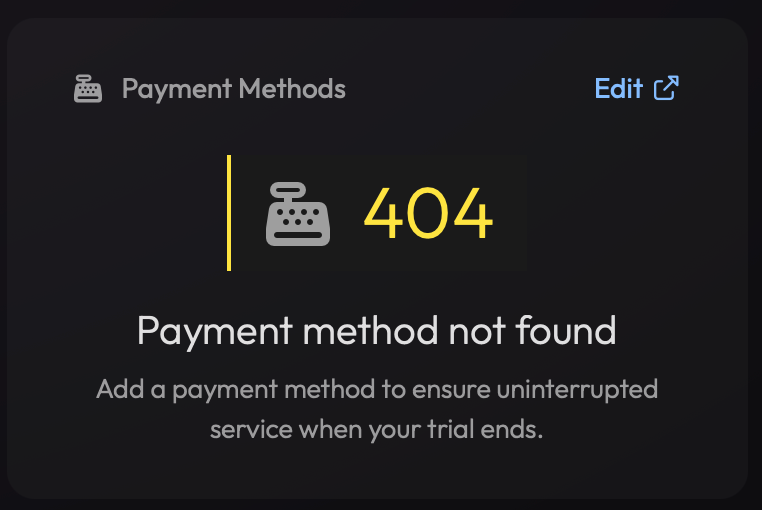
Payment Methods
- Add or edit your payment method
- Ensure uninterrupted service
- Get visibility into billing readiness (e.g., missing payment alerts)
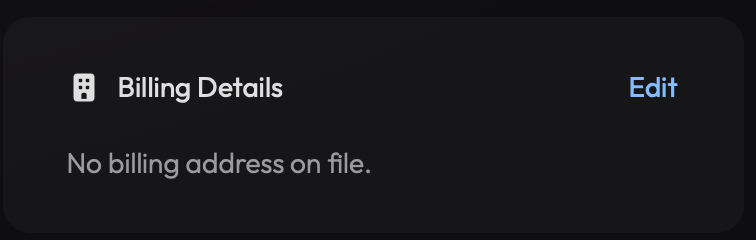
Billing Details
- Manage billing address and account info
- Keep everything up to date for invoicing and compliance
No more back-and-forth with support for basic updates.
Complete Invoice History
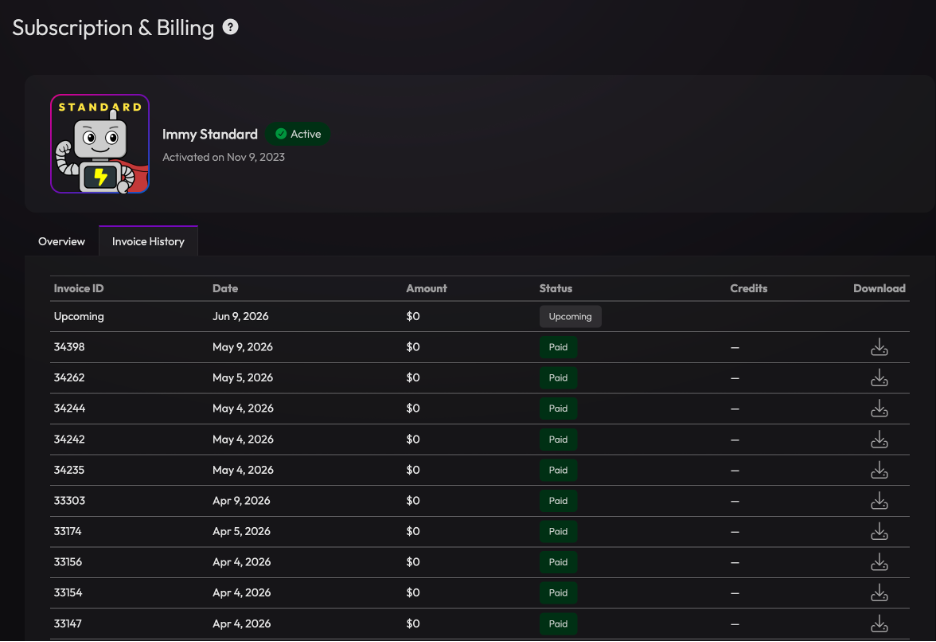
The new Invoice History tab gives you a clean, searchable record of all billing activity:
- Invoice ID, date, amount, and status
- Clear labels like Paid or Upcoming
- One-click download access for each invoice
This is especially helpful for:
- Finance reconciliation
- Internal reporting
- Audits and record keeping
Everything is accessible without leaving the product.
Designed for Transparency, Built for Scale
The goal of the new billing experience is simple: give you clarity and control as you grow.
Instead of abstract limits or hidden mechanics, you now have:
- Clear definitions of how usage works
- Real-time visibility into consumption
- Direct control over your plan and billing setup
Whether you’re onboarding new endpoints, scaling maintenance, or reviewing costs, the information you need is always one click away.